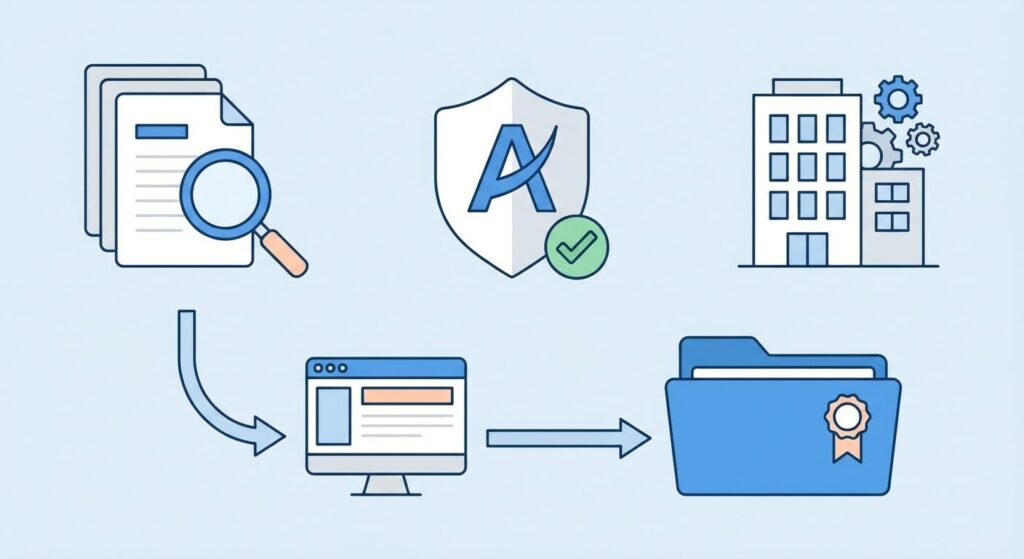
Getting your company name approved by the Ministry of Corporate Affairs (MCA) is the first step in your business journey. Whether you’re incorporating a new company or changing an existing one’s name, the process has specific rules, timelines, and costs that every entrepreneur should understand.
This guide covers MCA company name approval in 2026, including recent changes, fees, and step-by-step processes for both SPICe+ Part A and RUN forms.
How MCA Company Name Approval Works
The MCA has strict guidelines for company names to prevent confusion and maintain corporate integrity. In 2026, they’ve upgraded their systems with algorithms that detect phonetic similarities and check more thoroughly for trademark conflicts.
Every company name goes through the Central Registration Centre (CRC), which reviews applications against existing company names, LLPs, and registered trademarks across India.
Two Ways to Get Name Approval
SPICe+ Part A (For New Companies)
SPICe+ (Simplified Proforma for Incorporating Company Electronically Plus) has been mandatory for all companies incorporated since February 23, 2020. Part A handles name reservation for new companies.
What you get:
- Submit up to two names in order of preference
- File standalone or with Part B for complete incorporation
- Links with other registrations (PAN, TAN, GSTIN, EPF, ESI)
- Name reserved for 20 days upon approval
RUN Form (For Existing Companies or Resubmissions)
The Reserve Unique Name (RUN) web service is for existing companies that want to change their name or when resubmitting rejected names.
What you get:
- Usually one name per application for existing companies
- No Digital Signature Certificate needed for name reservation
- Name reserved for 60 days upon approval
- Works for both companies and LLPs
MCA Name Approval Rules
Your proposed company name must follow several guidelines:
Uniqueness Requirements
- Cannot be identical or too similar to existing companies, LLPs, or registered trademarks
- Algorithms now catch phonetic similarities
- Different suffixes don’t automatically make similar names acceptable
Prohibited and Restricted Words
Some words need prior government approval or are banned entirely:
- Government-related: National, Federal, All India, Government, State
- Financial: Bank, Exchange, Insurance, Authority (without relevant licenses)
- International: International, Global, World (need justification)
- Religious/offensive: Any words that might hurt religious sentiments
Required Suffixes
Your company name must end with the right legal suffix:
| Company Type | Required Suffix |
|---|---|
| Private Limited Company | Private Limited or Pvt. Ltd. |
| Public Limited Company | Limited or Ltd. |
| One Person Company | (OPC) Private Limited |
| Limited Liability Partnership | Limited Liability Partnership or LLP |
Pre-Application Checks You Must Do
Before submitting your name application, run these checks to avoid rejection:
1. MCA Portal Name Check
Use the “Check Company/LLP Name” tool on MCA V3 portal (www.mca.gov.in) to see if your proposed name or similar versions are already taken.
2. Trademark Search
Check the Intellectual Property India portal (ipindia.gov.in) for existing trademarks. The MCA will reject names that conflict with registered or pending trademarks.
3. Other Smart Checks
- See if the domain name is available
- Google search for similar business names
- Make sure the name fits your business goals
- Think about future expansion when picking the name
Step-by-Step Application Process
For New Companies (SPICe+ Part A)
Step 1: Get Digital Signature Certificate (DSC) for directors
Step 2: Log into MCA V3 portal with your DSC
Step 3: Fill SPICe+ Part A form with two name choices
Step 4: Pay ₹1,000 government fee
Step 5: Submit application and wait 2-5 working days
Step 6: If approved, complete Part B within 20 days
For Existing Companies (RUN Form)
Step 1: Access MCA portal
Step 2: Pick RUN service
Step 3: Enter your new name
Step 4: Pay ₹1,000 government fee
Step 5: Submit application
Step 6: If approved, finish name change within 60 days
Timeline and Fees
How Long It Takes
- Name approval: 2-5 working days
- Name stays reserved: 20 days (new companies), 60 days (existing companies)
- Full incorporation: 7-15 working days from start to Certificate
What It Costs (2026)
| What You Pay For | Fee | Notes |
|---|---|---|
| Government Name Approval | ₹1,000 | You don’t get this back if rejected |
| CA/CS Services | ₹5,000 – ₹15,000 | Professional help |
| Stamp Duty | ₹100 – ₹10,000 | Depends on state and capital |
Why Names Get Rejected (And How to Avoid It)
Knowing why names get rejected saves you time and money:
Common Rejection Reasons
- Too similar to existing names: Even small differences can get you rejected
- Trademark problems: Names that clash with registered trademarks
- Restricted words: Using banned terms without approval
- Too generic: Names that are too common or descriptive
- Wrong suffixes: Using incorrect legal endings
How to Get Approved
- Pick unique, memorable names
- Avoid overused business terms
- Check multiple variations and how they sound
- Consider getting a trademark for your approved name
- Have backup options ready
What Changed in 2026
The MCA made several improvements to name approval:
- Better similarity detection: AI now catches names that sound similar
- Faster processing: Most applications finish in 2-3 days instead of 5-7
- Better coordination: Trademark and company databases now talk to each other
- Tougher review: More careful examination of names that might mislead people
Use WeeDoo.in for Company Research
Before you finalize your company name, use WeeDoo.in’s free search to research similar businesses:
- Search our database of 27+ lakh registered companies
- Check director information across 38+ lakh profiles
- Look at business activities and objectives
- Get official MCA documents for detailed research
This research helps you avoid conflicts and pick names that stand out in your industry.
What to Do After Name Approval
Once your company name gets approved, act fast:
For New Companies
- Complete SPICe+ Part B within 20 days
- Submit required documents (MOA, AOA, etc.)
- Pay incorporation fees
- Get your Certificate of Incorporation
For Existing Companies
- File forms for the name change
- Update all legal documents
- Tell banks, clients, and vendors
- Update other registrations (GST, PAN, etc.)
Tips for Faster Approval
Speed up your name approval with these strategies:
- Check everything twice: Review all details before submitting
- Get professional help: CAs and CSs know the system
- Prepare backups: Have 3-4 alternative names ready
- Stay on top of it: Check your application status regularly
- Learn from mistakes: If rejected, understand why and adjust your approach
Common Questions
Can I reserve a name without starting the company right away?
Yes, you can use SPICe+ Part A just for name reservation. But you have to finish incorporation within 20 days of approval.
What if both my names get rejected?
You’ll need to submit a new application with different names and pay the ₹1,000 fee again.
Can I change my company name after incorporation?
Yes, existing companies can change names using the RUN form. The same approval rules apply.
How long does the name stay reserved?
20 days for new companies, 60 days for existing companies changing names.
Do I get my money back if the name gets rejected?
No, the ₹1,000 government fee is gone whether your name gets approved or rejected.
Getting Started
MCA company name approval is your first official step toward business incorporation. The process got faster in 2026, but they also check more carefully. By following the guidelines, doing your research, and having multiple name options, you can get through the approval process without delays.
Use WeeDoo.in’s company database to research existing businesses and make sure your chosen name stands out. With proper preparation and knowledge of MCA requirements, you’ll have your company name approved quickly and be ready for the next steps in starting your business.